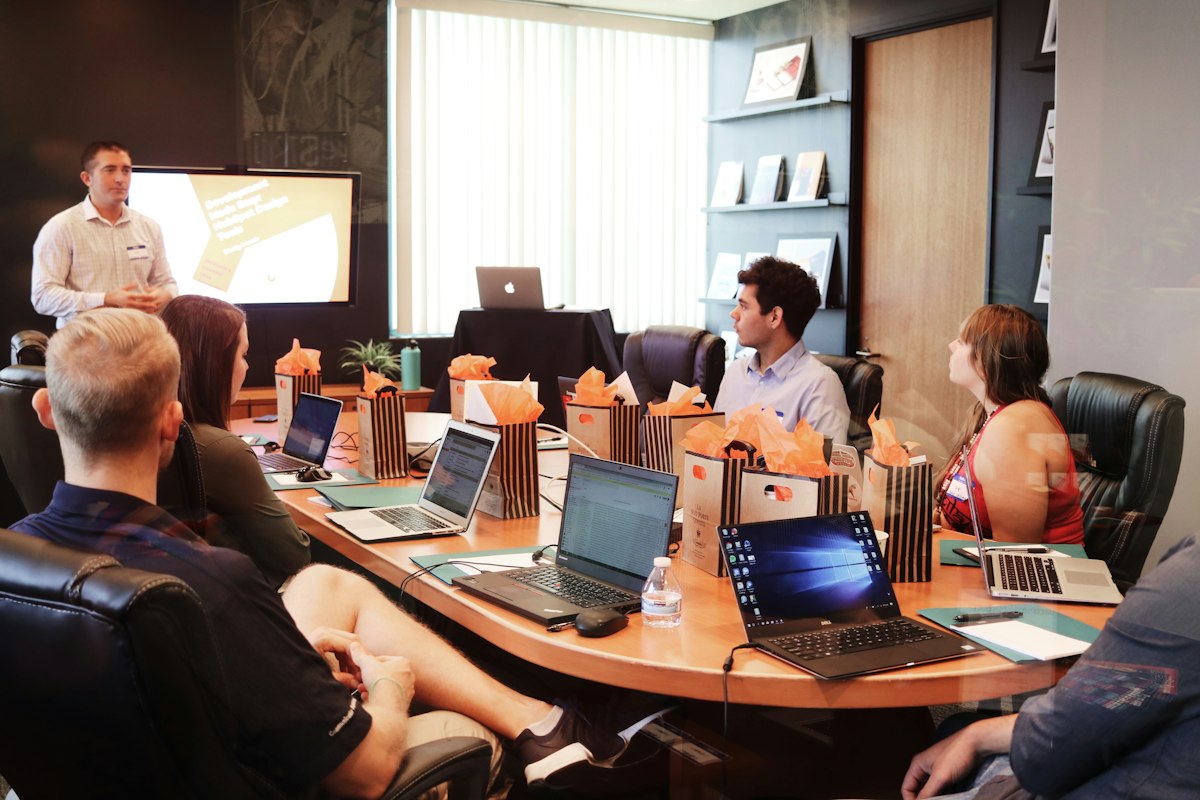
Zero-Waste Meetings: How Managers Use AI to Prepare, Document, and Follow Up

On average, meetings consume between 35% and 50% of a mid-level manager's time, according to data from the McKinsey Global Institute. Even so, most of them end without clear decisions and without anyone assigned to own each action item. AI for team meetings is changing this dynamic: it makes it possible to prepare, document, and follow up on any meeting in a fraction of the time it used to require.
AI for team meetings: the application of language models and artificial intelligence agents to automate agenda preparation, the synthesis of minutes, the assignment of action items, and the sending of follow-up reminders in the context of work meetings. Its goal is to turn coordination time into execution time.
This article explains how managers who have already adopted these tools recover hours each week and, above all, increase the completion rate of the commitments agreed in every session.
Why Meetings Are Still the Biggest Productivity Drain
A study by Atlassian indicates that professionals attend an average of 62 meetings per month and consider half of them unnecessary. The problem is not just the volume: it is the quality of what happens before, during, and after each session.
Before the meeting, most managers do not prepare a structured agenda or distribute reading materials in advance. During the session, conversations drift, agreements are recorded partially or incompletely, and responsibilities remain ambiguous. Afterward, follow-up depends on individual memory or on emails that no one reads carefully.
The result is predictable: the same topics resurface in successive meetings, and the team develops the perception that meetings are a ritual with no real consequences. Gartner notes that organizations that fail to implement systematic post-meeting follow-up mechanisms see 40% lower completion of agreed commitments compared with those that do.
The Three Phases Where AI for Team Meetings Makes the Biggest Impact
Phase 1: Smart Agenda Preparation
An AI agent trained on the history of previous meetings, active projects, and quarterly objectives can generate a prioritized agenda in seconds. The manager provides the general context—meeting topic, participants, available time—and the agent structures the items by order of urgency and impact, estimates the time required for each block, and suggests the relevant reference materials.
Companies that have adopted this workflow report a 30% reduction in the average length of their meetings, according to data from Forrester Research, simply because participants arrive with information in hand and the agenda does not need to be built in real time.
Phase 2: Automatic Real-Time Documentation
During the meeting, AI transcription tools—such as Otter.ai, Fireflies, or Microsoft Teams' own copilot—capture every contribution, identify the speakers, and automatically flag commitments, decisions, and open questions.
When the session ends, the system generates structured minutes that include: an executive summary, a list of decisions made, commitments with an owner and a deadline, and open items for the next meeting. What used to take between 20 and 45 minutes of manual work is ready in under two minutes.
HubSpot Research indicates that teams which systematically document their meetings with automated tools report a 28% higher project completion rate than those that do not.
Phase 3: Automated Follow-Up on Commitments
The weakest link in the meeting cycle is follow-up. An AI agent can connect to the generated minutes and, automatically, send personalized reminders to each owner based on how close their deadline is, escalate to the manager when a commitment is at risk, and consolidate a status board for all active agreements.
This mechanism turns every meeting into an event with measurable consequences. The manager stops being the compliance police and becomes the referee of exceptions, dedicating their time only to the cases that truly require human intervention.
How to Implement This System in 30 Days
Managers who have achieved consistent results tend to follow a three-week sequence:
Week 1—Instrument a recurring meeting. Choose the most frequent team meeting and turn on a transcription tool. The goal is not perfection: it is to generate the first set of automatic minutes and compare their quality with the manual method. Most managers are surprised by the fidelity of the result.
Week 2—Connect the minutes to the task system. Configure the integration between the transcription tool and the team's project manager (Asana, Notion, Linear, Jira). Each commitment identified by the AI is automatically turned into an assigned task with a deadline.
Week 3—Automate the reminders. Turn on the reminder sequence: 48 hours before the deadline, on the day of the deadline, and, if there is no update, an alert to the manager. At this point, the system operates autonomously for 80% of commitments.
To dig deeper into how to structure the complete automation workflow, we recommend reviewing the article on delegation frameworks with AI agents available on the blog.
Metrics Managers Should Monitor
Implementing AI for team meetings has no value if its impact is not measured. The key metrics are:
- Commitment completion rate: the percentage of agreements closed by the agreed date. An effective system should raise this indicator above 75% in the first month.
- Average meeting length: structured preparation typically reduces it by between 20% and 35%.
- Time to produce minutes: this should drop from 20-45 minutes to under 5 minutes per session.
- Number of follow-up meetings: a good tracking system eliminates between 30% and 50% of meetings whose only purpose was to review the progress of previous commitments.
McKinsey estimates that organizations which optimize their meeting cycle with intelligent automation free up between 4 and 6 hours per week per executive, time that is redirected to high-impact strategic work.
Common Mistakes When Adopting These Tools
The first mistake is believing the tool replaces discipline. If the meeting has no clear purpose, the AI will document the chaos with great precision. The system amplifies what already exists: a well-designed agenda produces excellent minutes; a meeting with no structure produces confusing minutes.
The second mistake is not telling the team that automatic transcription is being used. Transparency is key: participants must know that the conversation is being recorded and how the information will be used. The team's trust is the foundation of any effective follow-up system.
The third mistake is automating sensitive meetings too soon—negotiations, performance reviews, personal feedback sessions—without adapting the protocol. Not every conversation should be processed the same way.
Frequently Asked Questions
Which AI meeting tools are most recommended for managers in 2026?
The most widely adopted options are Otter.ai (transcription and automatic summaries), Fireflies.ai (integration with CRM and project managers), Microsoft Copilot in Teams (for organizations in the Microsoft 365 ecosystem), and Notion AI (when the team already uses Notion as its knowledge base). The choice depends on the existing technology stack, not on the individual features of each tool.
Does AI for meetings work in Spanish with the same accuracy as in English?
The leading transcription models—OpenAI's Whisper, the engines behind Otter and Fireflies—perform very competitively in Spanish, with error rates below 8% under medium-quality audio conditions. The main accuracy factor is audio quality: a decent microphone and a low-background-noise environment matter more than the language itself.
How long does it take a manager to see concrete results with this system?
The first benefits—less time spent producing minutes and greater clarity in commitments—are visible from the very first week. The impact on the completion rate and on reducing the number of meetings is usually measured from the second month onward, once the team has internalized the new workflow.
Do you need technical knowledge to implement these tools?
No. Most of the platforms mentioned are configured in under 30 minutes and require no programming knowledge at all. The biggest challenge is not technical: it is cultural. Getting the team to adopt the habit of reviewing the minutes and updating the status of their commitments takes a couple of weeks of active reinforcement from the manager.
How does this system connect with the manager's other automation workflows?
Meeting documentation is the natural entry point into a broader automation architecture. The commitments generated in each session can automatically feed the team's backlog, trigger notifications in Slack or Teams, and update tracking dashboards without manual intervention. To explore how to integrate this workflow with a more complete agent system, the AI4Managers blog offers step-by-step guides on automation architectures for middle management.